
How to launch downloaded maps in Heroes 3
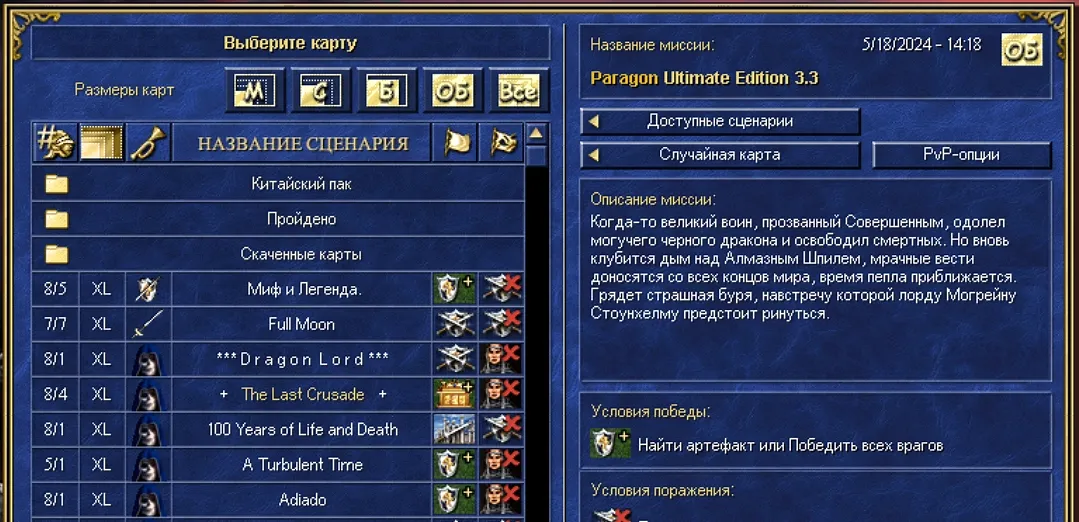
A frequent question from beginners: I downloaded the map from the site, but it is not visible in the game. The solution is simple — you need to manually put the card in the folder with the game cards, it doesn't get picked up anywhere.
Where to put the map file
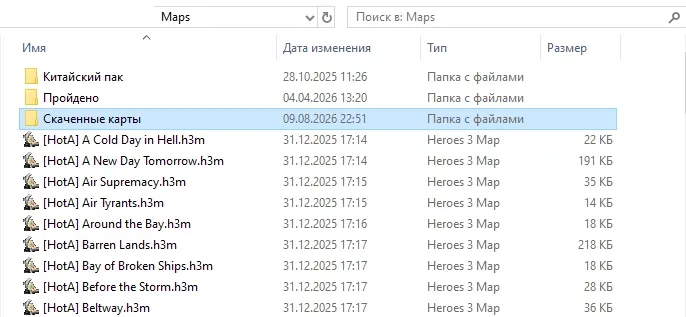
The downloaded map file (.h3m) must be copied to the Maps folder inside the folder with the installed game — for example, ...\Heroes 3\Maps. After that, when the game starts, the map will appear in the list of available scenarios on the screen.
Own folder for downloaded maps
In order not to interfere with the downloaded maps with the standard set of maps of the game, it is convenient to create your own folder inside Maps and name it whatever you like, for example "Downloaded maps" — and put new maps there already.
In the game, on the map selection screen, such a folder will appear in the general list — just go into it and see all the cards that have been placed in it.
Is the map not displayed in HotA? Check the version
If you play HotA, some cards may not appear in the list due to version discrepancies. The card could have been made for an earlier or later version of HotA than you have installed — for example, the card was made for HotA 1.4, and you have 1.8.
The HotA version can be viewed in the game client itself — in the game menu, in the lower left corner of the screen. If the map is not shown in the list, first of all you should check with the version of HotA for which it was made.
I also want to note some cards for Breathing will measure (SoD), they may not be passable HotA due to a changed logistics skill, a changed morality system, or some objects change their properties.
Commenting as guest. /
No comments yet